
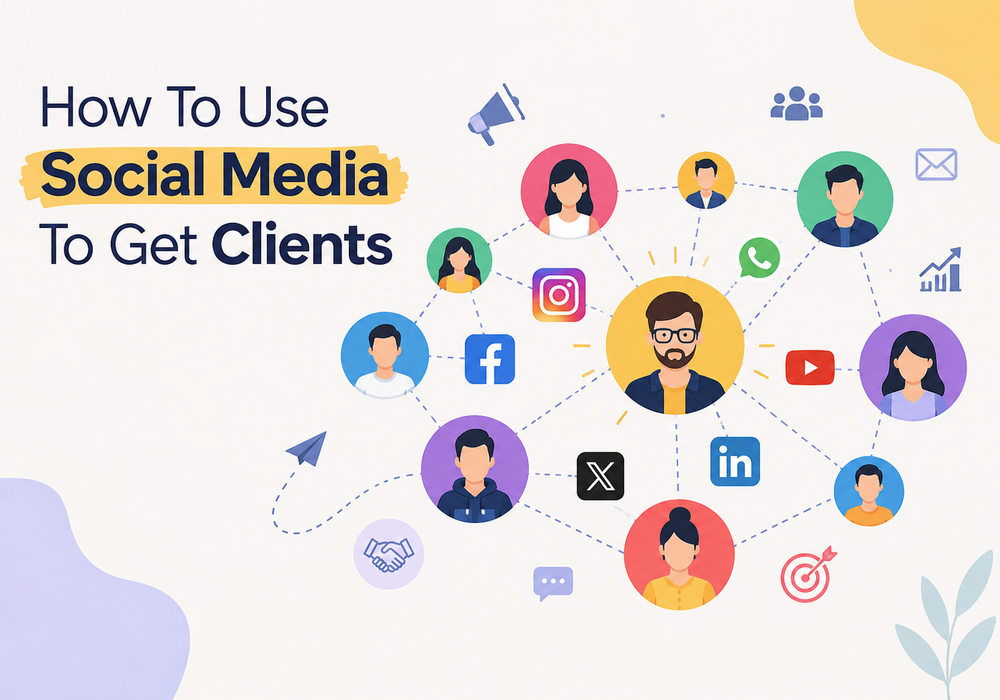
How to Get Customers Through Social Media: A Practical Guide for Businesses
You’ve probably heard that social media is the easiest way to get customers. So why does it feel so hard? Usually it’s because people focus on posting instead of selling. Here’s what works instead: find the one platform where your buyers hang out, share content that answers their questions, and make it easy for them to reach you. Those are the social media marketing solutions to increase sales that I’d start with, whether you run a local salon or a B2B company. Let’s break it down into ten simple steps.
Can Social Media Really Bring You Customers?
It can’t just be through followers.
- Followers are people who liked your page once. Leads are people who ask “how much?” or “can I book a slot?”
- I’d take a page with 300 followers and a few enquiries every week over a page with 30,000 followers and a dead inbox.
- It works when you have a clear offer and a simple way to reach you.
- It doesn’t work when the feed is festival wishes, discount posters and nothing else.
Step 1: Define Your Ideal Customer and Pick the Right Platform
You cannot be everywhere and you should not even try to be. Figure out who buys from you first.
- Jot down their age, city, what’s bothering them, and what they can spend.
- Look at where your competitors get real comments. Likes can be misleading.
- Then pick a platform using this table:
| Business Type | Best Platform | Main Goal |
| Local service (salon, clinic, gym) | Instagram + WhatsApp | Bookings and walk-ins |
| B2B / agency / consultant | Qualified leads and calls | |
| Ecommerce / D2C brand | Instagram + Facebook | Direct sales |
| Education / coaching | YouTube + Instagram | Trust and enquiries |
| Real estate | Facebook + YouTube | Site visit leads |
Step 2: Turn Your Profile and Bio into a Mini Landing Page
Someone lands on your profile and gives it maybe five seconds. Make those count.
- Bio in one plain line. Just say what you do and who it’s for. Skip the fancy words.
- One button that matters, like “Book a free call” or “WhatsApp us”.
- A real face or logo. A stock image never earns the trust of the people, you should use a real face which actually builds trust
- Pin one post at the top, ideally a result or an offer that makes people stop scrolling.
- One link only. Six links just confuse people.
Step 3: Post Content That Attracts Buyers
- Short-form video: Start with the problem first, which can act as a hook. People will decide if the reel is worth watching within the first 2 seconds.
- Educational posts: Think about the question you answer on every sales call. That’s your next post.
- Stories: Polls and question boxes are very underrated. Someone tapping the poll option is likely to drop you a message later.
- Behind-the-scenes: Give people a glimpse of what goes on with your business behind the camera. Preparing an order, working on a project or a day with your team, the fun moments. These moments help customers connect and know what goes on behind your brand, which builds trust and it gets them to know more about your brand
- Keep most posts useful. Show proof sometimes. Sell hard only once in a while.
Step 4: Find Customers Who Are Already Asking
Somewhere online, a person is asking for a recommendation for exactly what you sell.
- Type that kind of question into the search bars of Facebook, LinkedIn, X and Instagram and see what comes up.
- Join a few local business groups and simply help people out. Pitch later, if ever.
- Leave thoughtful comments on posts in your industry. People check out the profile behind a good comment.
- Reply to comments on your own posts, and try to do it the same day.
Step 5: Move Conversations to DMs and WhatsApp
A comment on our post is basically someone saying hello. The yes and the conversion actually happen in a private chat
- Offer them something for free, a checklist or a rate card and collect their phone numbers when they ask for it
- Lead forms on Facebook and Instagram are convenient, as people will not leave the app
- WhatsApp Business is free. Add your catalogue there and save the replies and answers to the questions you get asked every day
- Follow up the same day, or the next morning at the latest. A late reply costs you more than a higher price ever will.
Step 6: Use Social Proof
- If your customer is happy with the work you did for them and the results you provided them, ask them to share a review. If your work has a visible result, then show it; a before and after testimonial works far more than a paragraph
- Customer tagged you in a story? Repost it. Free proof.
- Creators with 5,000 to 20,000 followers are worth a look. They’re cheaper, and their followers actually listen.
Step 7: Run Paid Social Ads (Even on a Small Budget)
- A budget of ₹300 to ₹500 a day will teach you plenty. You don’t need lakhs.
- Pick a post that got good reactions without any push, and put the money behind that.
- Start by targeting your city and a few interests. Later, add people who have visited your site or watched your videos.
- Run three creatives side by side. After a few days, switch off the weakest.
- Retargeting is worth it. People trust a brand they’ve seen a couple of times, so they convert better.
Step 8: Sell Directly with Social Commerce
- Turn on Instagram Shopping and Facebook Shops; you can tag your products in the posts so customers would be able to see them
- Try a Live for launches. Viewers watching the live can ask their doubts and clear them quickly there itself.
- The shorter and easier your checkout is, the more customers will buy it.
- State your return policy clearly and highlight your delivery time. COD still matters in India
Step 9: Use Social Customer Service to Retain Customers
- Reply fast. A quick “we’re checking this” beats leaving someone hanging.
- When someone drops a complaint in public, reply to them politely and take the conversation ahead in the private chat.
- Your past customers are the easiest to sell to, so when you drop something new, you should message them
- When a customer seems happy, ask them to put a review. Most people won’t offer on their own, but most will say yes.
Step 10: Track What Matters
- Leads: Track and count all the inquiries you get from all the platforms
- Cost per lead: The amount spent running ads is divided by the number of inquiries you got.
- Conversions: Conversions are the total number of leads who actually converted or bought.
- UTM links: Add them to every link you share, and Google Analytics will show which post or ad led to a sale.
- Look at these once a week. Keep what works and stop spending time on the rest.
Platform-Wise Guide
- Instagram: Great for anything visual. Reels would get your brand seen; DMs would actually get you paid
- Facebook: Useful for reaching local customers, participating in community groups and running lead generation ads
- LinkedIn: This is a good place for B2B. You can find multiple founders and case studies here
- WhatsApp: It’s for your catalogues, replying to people and support. Consider this as a closing desk
- YouTube: This is a long process and takes time, but a good tutorial would get you multiple inquiries incoming.
Examples by Business Type
- Local service: A neighbouring dental clinic could post a short video showing teeth whitening tips and run an offer showcasing a ₹499 checkup for people nearby. The customers can also book slots on WhatsApp
- B2B: A software agency can post case studies on LinkedIn. They can highlight a free audit and then convert the customer by providing additional details to them in the DMs
- Ecommerce: A clothing retail store that sells online can post reels styling the clothes, tag the products and show the ads to their respective target audience. They can also retarget the people who left something in the cart
Common Mistakes to Avoid
- Posting with no offer and no call to action.
- Counting likes and ignoring enquiries.
- Being on five platforms but doing well on none.
- Leaving DMs on “seen”.
- Running ads and never checking the numbers.
- Quitting after two weeks.
Conclusion
Getting customers from social media is not just about going viral, choosing the right platform for the right kind of audience and posting things that people actually find useful; talking to them directly also matters. Check your numbers every week and if you are not sure where to begin, Step 1 is a good place to start with
Want help building this for your business? Talk to The Bombay Digital Company and get a free social media growth plan.
FAQs
How long does it take to get customers from social media?
With paid ads, you can see enquiries in a few days. Organic is slower, so give it two or three months of regular posting.
Which platform is best for getting customers?
It depends on your buyer. Selling to consumers? Try Instagram. Selling to other businesses? LinkedIn. Serving one area? Facebook usually works.
Can I get customers without paid ads?
Yes. If you post useful stuff, stay active in groups and reply quickly, leads will come. It’s just slower.
How do I turn followers into customers?
Offer the followers something that they find worth messaging us for, like an offer or a deal or maybe a free guide. Then you can carry on the conversation to WhatsApp, potentially making them your customers
How much budget do I need?
A fair start is around ₹10,000 to ₹15,000 a month with ads included. Raise it once you know your cost per lead.

Leave a Reply